Building a mobile app starts long before writing code. Whether you are a startup founder with a new idea or a business looking to improve customer experiences, proper planning helps you avoid unnecessary costs, development delays, and confusing features.
Many app projects struggle not because the idea is bad, but because the requirements, target audience, and product goals are not clearly defined.
In this guide, we will explore the essential steps to plan a mobile app before development begins.
1. Define the Problem Your App Will Solve
Every successful application starts with a problem worth solving.
Before thinking about features or design, identify what users are struggling with and how your app can help. For example, an e-commerce app might simplify product discovery and checkout, while a healthcare app could make appointment booking more convenient.
Ask yourself three questions:
What problem will the app solve?
Who experiences this problem?
Why would users choose this app over existing alternatives?
Clear answers will help you build a product around real user needs instead of unnecessary features.
2. Identify Your Target Audience
Understanding your audience helps shape the entire development process. Different users have different expectations, technical abilities, and preferences.
Research your potential users, study competitors, and identify the features people value most. You can conduct surveys, interview potential customers, or analyze reviews of similar applications.
Consider factors such as user demographics, common challenges, device preferences, and expected usage patterns.
The better you understand your audience, the easier it becomes to make informed decisions about functionality and design.
3. List and Prioritize Essential Features
One common mistake is trying to include every possible feature in the first version of an app. This can increase development costs, extend timelines, and make the user experience unnecessarily complicated.
Instead, divide features into three categories:
Must-have: Essential functionality required to solve the primary problem.
Should-have: Features that improve the experience but are not immediately necessary.
Nice-to-have: Additional features that can be introduced later.
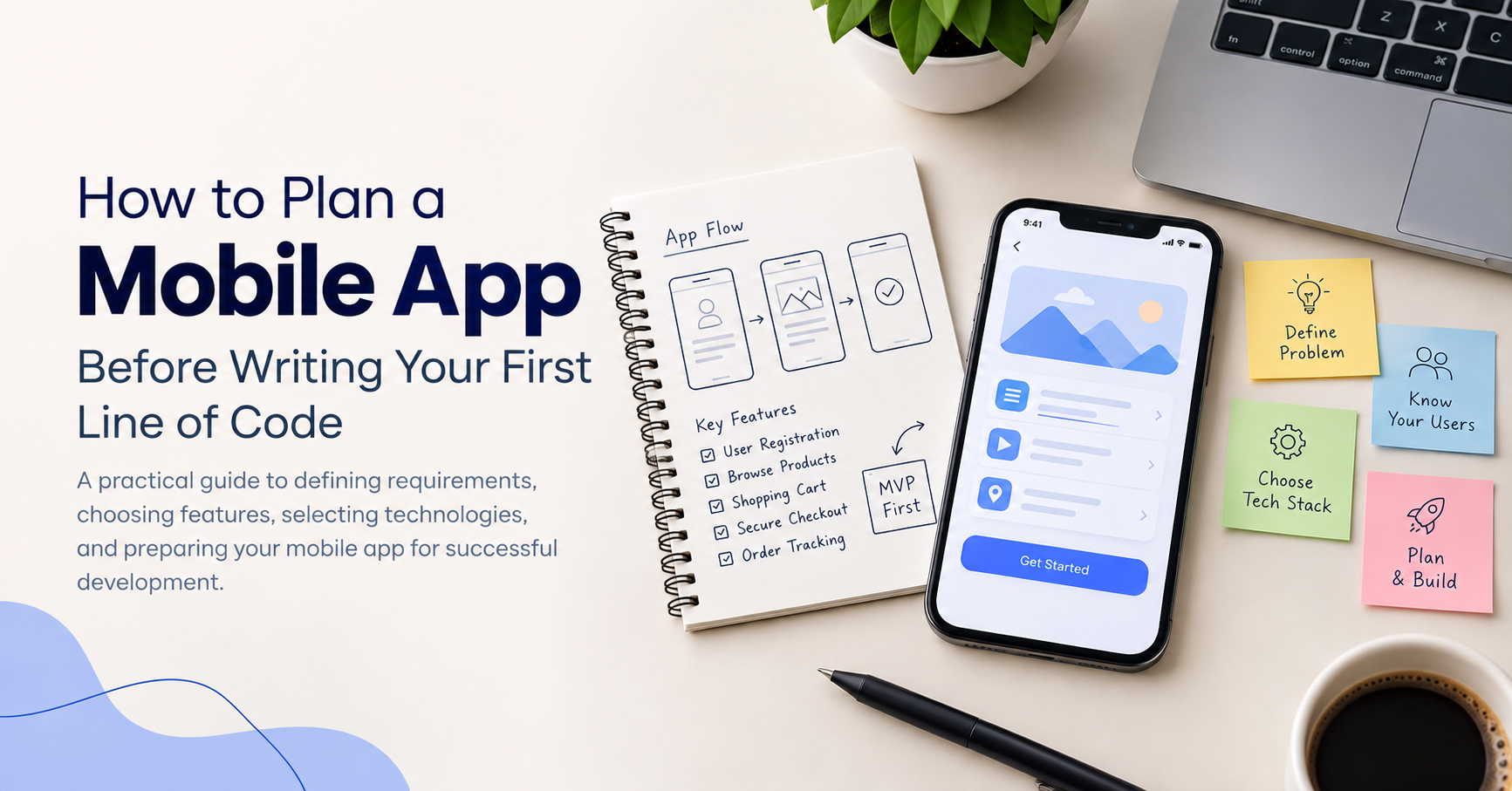
For example, an initial e-commerce app may require user registration, product listings, a shopping cart, secure checkout, and order tracking. Advanced personalization or loyalty programs can come later.
This approach helps you focus on a minimum viable product (MVP) that can be tested with real users before making a larger investment.
4. Choose the Right Technology
Your technology choices influence development costs, performance, scalability, and future maintenance.
Native development uses platform-specific technologies for Android and iOS, while cross-platform frameworks allow teams to build for multiple platforms using a shared codebase.
The right approach depends on your requirements, budget, timeline, performance needs, and available technical expertise.
You should also consider backend technologies, database requirements, third-party integrations, hosting, and security.
Avoid choosing a technology simply because it is popular. Select tools that align with your product's long-term goals.
5. Plan the User Experience and Design
A useful app should also be easy to navigate. Before development, map out the user journey and determine how people will move through the application.
Start with basic wireframes that show screen layouts and navigation. For example, map the steps a user follows from opening the app to completing a purchase or booking an appointment.
Pay attention to accessibility, loading states, error messages, and simple navigation. Early prototypes can help you identify usability issues before they become expensive to fix.
6. Estimate the Budget and Timeline
A realistic budget should account for more than coding. App design, testing, deployment, infrastructure, third-party services, and ongoing maintenance can all contribute to the total cost.
Break the project into milestones, such as discovery, design, development, testing, and launch. Assign estimated timelines and identify dependencies that could affect delivery.
Keep some flexibility for unexpected technical challenges or changes in requirements. A phased approach also makes it easier to manage resources and evaluate progress.
7. Consider Security and Scalability Early
Security should not be treated as a final development task. Depending on your application, planning may include secure authentication, data encryption, access controls, privacy requirements, and safe API communication.
You should also consider how the application will perform as the number of users grows. A suitable architecture, reliable database design, monitoring, and performance testing can reduce the risk of expensive improvements later.
For apps handling financial, healthcare, or other sensitive information, additional regulatory and security requirements may apply.
8. Test Your Idea Before Full Development
Before committing to a complete build, validate your assumptions. A clickable prototype, landing page, or limited MVP can help you collect feedback and understand whether users find the solution valuable.
Use that feedback to improve your feature priorities, user flows, and product strategy. Testing early can reveal problems while changes are still relatively inexpensive.
Final Thoughts
Planning a mobile app before development begins creates a stronger foundation for the entire project. Defining the problem, understanding users, prioritizing features, choosing suitable technologies, and preparing for security and scalability can help businesses make better development decisions.
A well-planned app does not need to launch with every possible feature. It needs to solve the right problem for the right users and provide a clear path for future improvements.
At LoudOwls, thoughtful planning and the right development strategy can help businesses turn their ideas into practical digital products. The goal is to build an application that meets today's needs while remaining ready for tomorrow's opportunities.
Frequently Asked Questions (FAQs)
1. What should you do before developing a mobile app?
Before developing a mobile app, define the problem it will solve, identify your target audience, research competitors, prioritize essential features, choose a suitable technology stack, and estimate your budget and timeline.
2. How much does it cost to develop a mobile app?
Mobile app development costs depend on the app's complexity, features, platform, design, and integrations. A basic MVP generally costs less than an advanced application with custom functionality, complex backend systems, and third-party integrations.
3. What is an MVP in mobile app development?
A minimum viable product (MVP) is the initial version of an app that includes only its essential features. It allows businesses to test their ideas with real users, collect feedback, and improve the product before investing in additional functionality.
4. Which technology is best for mobile app development?
The best technology depends on your project requirements. Native technologies such as Swift for iOS and Kotlin for Android are suitable for platform-specific development, while cross-platform frameworks such as Flutter and React Native can help build apps for multiple platforms using a shared codebase.
5. How long does it take to develop a mobile app?
A simple mobile app may take a few weeks to a few months, while more complex applications can take several months or longer. The timeline depends on the features, design requirements, integrations, testing, and development team's experience.
6. Why is planning important before building a mobile app?
Planning helps clarify requirements, prioritize features, estimate costs, identify potential risks, and establish realistic timelines. It also reduces the likelihood of expensive changes during development and creates a clearer path for future improvements.
About the author
- I write about iOS development, mobile networking, developer tools, software engineering, and emerging technologies. My goal is to turn complex technical concepts into practical, easy-to-understand content for developers.
Comments
Join the discussionNo comments yet. Be the first to comment.